AI drafts it
Type a premise, say "my roommate finds out I ate the birthday cake", and the AI writes short lowercase texts with a hook, a twist and an ending. It goes straight to rendering, so if you want to read the lines first, use I write it.
Type a contact and a few texts and you get a fake text message screenshot. Pick an iPhone with blue iMessage or green SMS bubbles, or an Android phone, in light or dark mode, with Delivered or Read under your last text. It's made for skits, memes and story videos. Download the PNG for free, or turn the same thread into a narrated video further down the page.
Free. No account. No watermark.
A fictional mockup for skits and story videos. Brainrotify has no connection to Apple or Google. Don't use it to impersonate anyone or to pass a conversation off as real.
1
Type the name that goes at the top of the thread. The avatar letter comes from the name, so "My Brother" gets a B. For a group chat, put the group's name here.
2
One message per line. ME: puts a blue bubble on the right and THEM: a gray one on the left. Use names instead, like Jess: and Marc:, and it becomes a group chat with each name over its bubbles. Lines with no label take turns, theirs first. Press Generate when you're done typing.
3
Choose iPhone or Android, light or dark, and on iPhone, iMessage or SMS bubbles. Then pick what sits under your last message: Delivered, Read or nothing. Each of these redraws the preview straight away. Download PNG saves it.
Press "Animate this into a video" under the preview and your texts drop into the generator below as rows you can edit, yours on the right and theirs on the left. No thread yet? Give the AI a premise and it writes the whole exchange.
Each video costs 2 credits. A free account gets 5 credits a day, up to 15 in total.
You get a vertical 1080 x 1920 MP4 with the phone screen over your background clip. Each bubble pops in as the narrator starts reading it, with a send or receive sound, and a full screen clears to a fresh page for the next messages.
One narrator voice reads the whole thread in order, and the ME: and THEM: labels are never read out. The video always uses the light iPhone look: dark mode, SMS green and the Android style are for the image only. It's also two-sided, so in a group chat every sender other than you becomes the same person.
Type a premise, say "my roommate finds out I ate the birthday cake", and the AI writes short lowercase texts with a hook, a twist and an ending. It goes straight to rendering, so if you want to read the lines first, use I write it.
Every row is one bubble. Add Mine puts it on the right, Add Theirs on the left, and you can edit or delete any row. The contact name and avatar letter sit above the rows. AI Write fills the rows from a premise so you can fix them before rendering.
Keep each text to a line, like real texts. Something should be at stake by the third message, and the twist should come as late as you can manage. If it lands at message four of twelve, the other eight have nothing to do.
1
Choose AI drafts it and type a premise, or I write it and build the rows. If you came from the Animate button, I write it is already open with your thread in it.
2
Pick the narrator voice and its speed, a background clip and music, then press Review video.
3
Check the preview card and the credit cost, sign in if you haven't, and press Generate video. The Finish step gives you the MP4.
We draw every part of the screen in code. None of it is Apple's or Google's artwork.
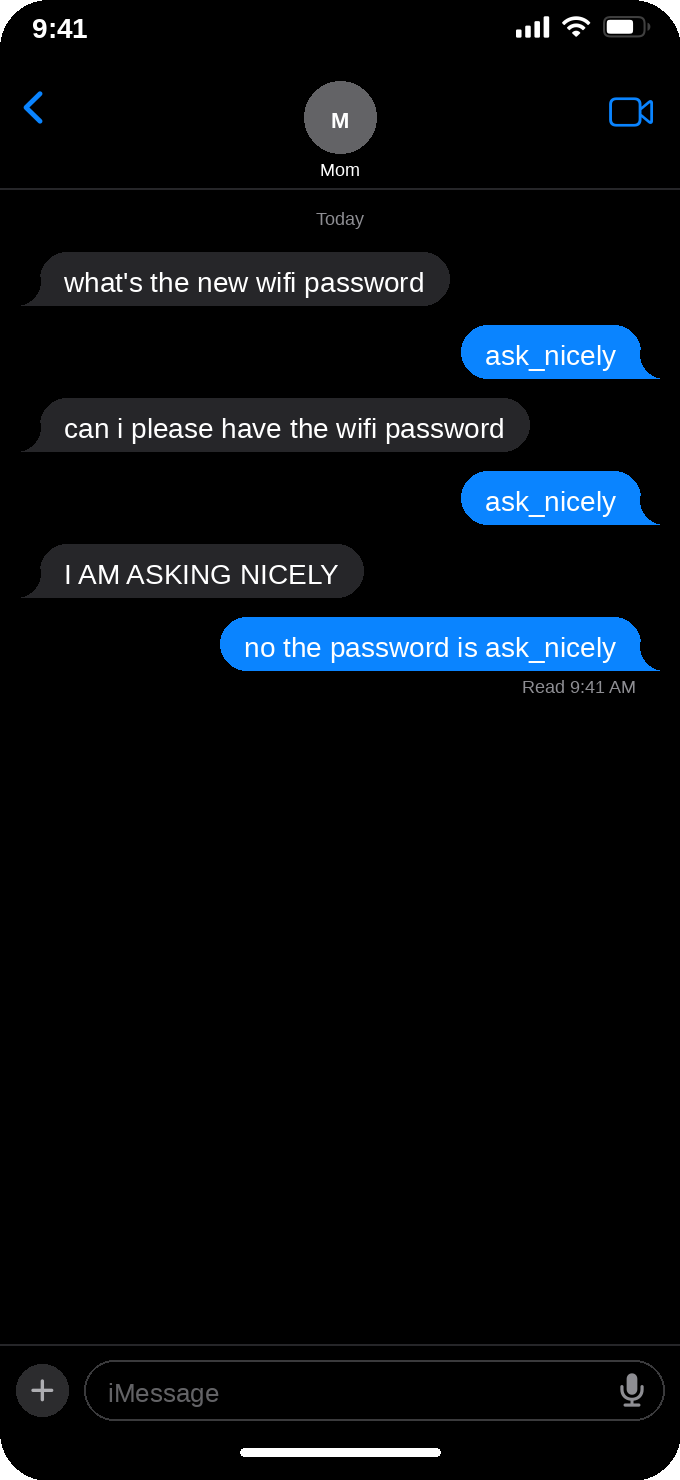
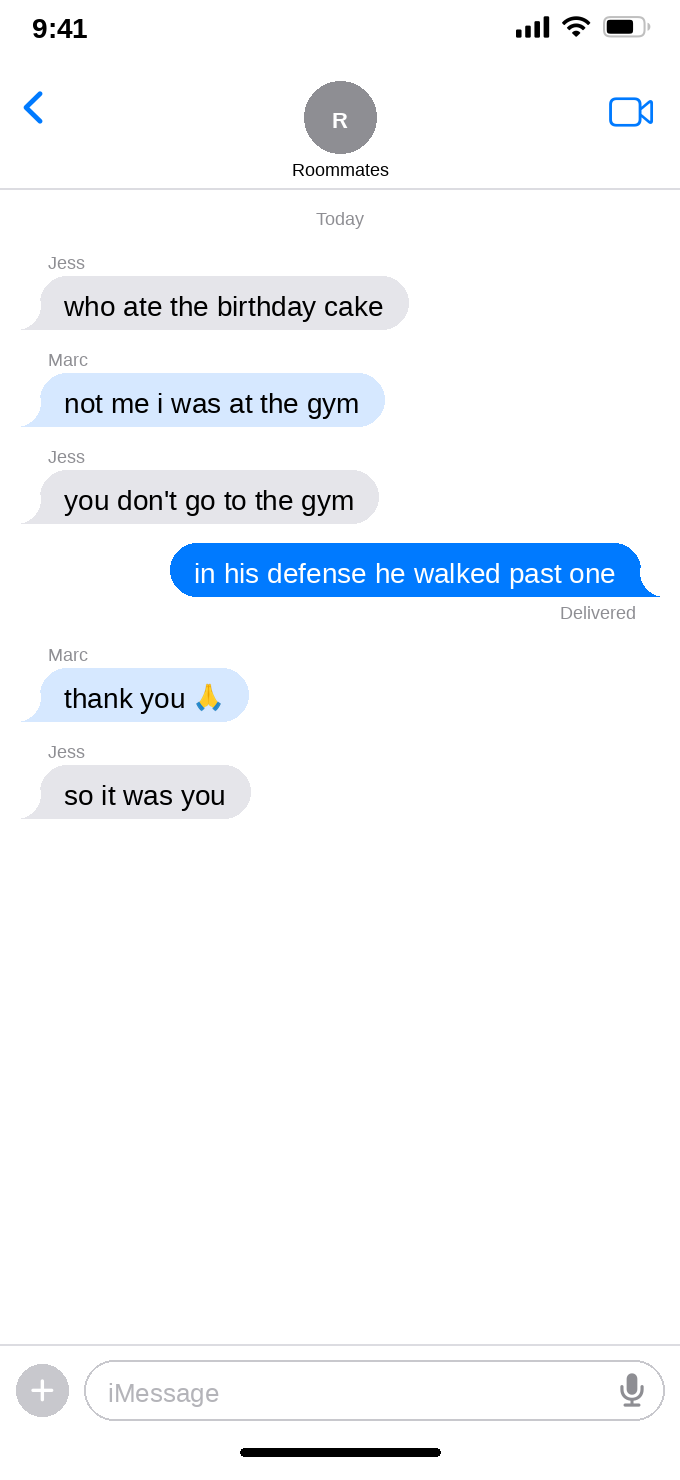
The fake iMessage look: blue bubbles on the right, gray on the left, the avatar and name at the top, 9:41 in the status bar, "Today" over the thread and an iMessage input bar.
Set Bubbles to SMS and your texts turn green and the input bar reads "Text Message". That's the look of a text to someone without iMessage.
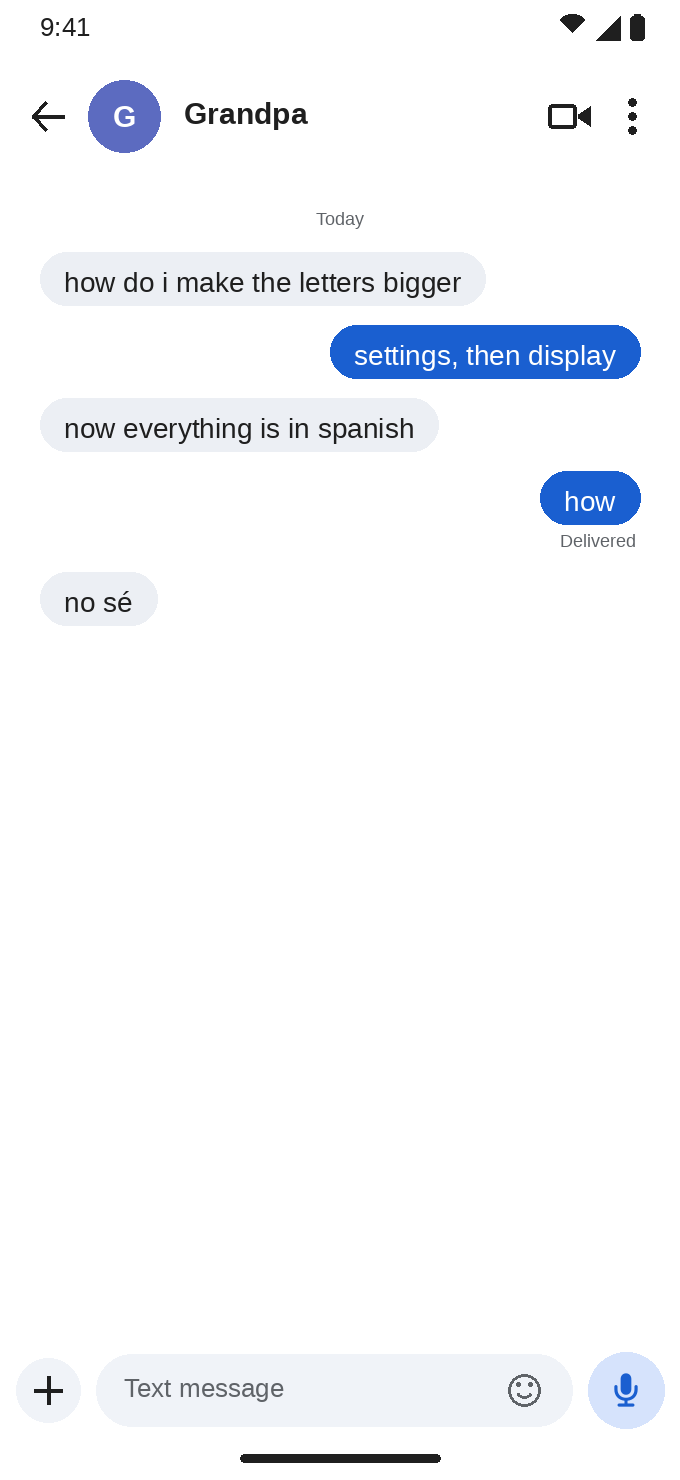
A plain Material-style messaging screen: round avatar and name in the header, rounded bubbles and a "Text message" bar. No app's name or logo appears on it.
Two or more named senders make it a group. Each run of messages gets the sender's name above it and a bubble colour of its own.
The line under your last text can say Delivered, Read, or nothing. On iPhone, Read comes with a time (Read 9:41 AM); Android just says Read.
A black screen with dark gray incoming bubbles. It works with both phone styles.
A left-on-read standoff, a roommate fight, a group chat turning on one person. Write it row by row and check every line before you render.
Hand the AI a ridiculous premise and let it write both sides of the exchange.
Turn a how-to or a news recap into a back-and-forth where one side asks what the viewer would ask.
Skip the video and use the PNG: one screenshot with the punchline, for a post, a slide or a thumbnail.
Video coming soon
The wifi password thread above, animated on this page. Videos use the light iPhone look.
How the image tool behaves, and what the video version does.
No. It's a picture drawn from what you type. Brainrotify has no connection to Apple or Google, and the tool can't see any phone or any real messages. Use it for skits, memes and story videos. Don't post it as proof that a conversation happened.
Start the line with ME: (YOU: works too). THEM:, or any name, puts it on the left. Lines without a label take turns, starting with theirs. After editing the text, press Generate. The look buttons redraw by themselves.
Yes. Set Phone to Android and you get a generic Material-style messaging screen with rounded bubbles and a "Text message" bar, with no app's name or logo. The iMessage/SMS switch is only there for the iPhone style.
Yes, set Theme to Dark. It works for both iPhone and Android. The video version always uses the light iPhone look.
Label lines with two or more names, say Jess: and Marc:, and use ME: for your own texts. Each run of messages then shows its sender's name and gets its own bubble colour. Put the group's name in the contact box.
Yes. "Under your last message" offers Delivered, Read or Nothing. On iPhone, Read shows as "Read 9:41 AM"; on Android it's just "Read". It only appears under your own last message, as on a real phone.
The message box holds 400 characters, roughly a dozen short texts. The image shows the newest messages that fit on one screen, as if you'd scrolled to the bottom: about 14 short ones, fewer in a group chat where names take up room. Long messages wrap inside their bubble.
Yes. They're drawn in colour, in the image and in the video.
Yes. Press "Animate this into a video" under the preview. Your texts load into the generator below as editable rows, yours on the right and theirs on the left, with the same contact name. The video is two-sided, so in a group chat everyone except you becomes one person, and it always uses the light iPhone look.
Make the text image above, press "Animate this into a video" and render it in the generator below. A video costs 2 credits and a free account gets 5 credits a day, up to 15 in total, so you can make one without paying. The image on its own needs no account at all.
Yes, two ways. AI drafts it takes a premise, writes the texts and renders right away. I write it gives you Add Mine and Add Theirs rows, one per bubble, plus the contact name and avatar letter. Its AI Write button can fill the rows from a premise for you to edit first.
One narrator voice reads every message in order. The ME: and THEM: labels aren't read out. Free accounts get the standard voices. From Pro up you can also pick from the RVC voice library, as long as you have the rights and documented consent for the voice you use.
No. Each bubble appears as the narrator gets to it, without a typing bubble first.
Music, yes: the Style step has a music picker and a background clip picker. The video has no burned-in captions, since the bubbles already show every word.
A vertical 1080 x 1920 MP4, the size TikTok, Instagram Reels and YouTube Shorts use.
A Reddit story video shows one post card while a voice reads a continuous story. This one is a phone conversation that builds bubble by bubble. Pick it when your story works as dialogue.
The image is free: no account, no credits and no watermark. A video costs 2 credits, and a free account gets 5 credits a day, up to 15 in total. Pro ($7.99/mo) gives 30 credits a month, Creator ($19.99/mo) gives 150, and Business ($39.99/mo) gives 400.
No. Videos made on a free account don't carry one either.

Video and audio tools for meme-native short-form content.
© 2026 Brainrotify
Tools
AI Lyric ChangerAI Song ExtenderBrainrot Lyrics GeneratorItalian Brainrot SongsAI Song GeneratorAI Voice ClonerAI Brainrot Video GeneratorText to Brainrot VideoReddit Story GeneratorFake Text Message GeneratorPeter Griffin AI VideoFake Tweet GeneratorGTA 6 Clip MakerTwitch Clip MakerBrainrot Name GeneratorItalian Brainrot
Italian Brainrot CharactersItalian Brainrot GeneratorItalian Brainrot SongBrainrot
What Is Brainrot?Brainrot WordsBrainrot Translator